PC Store Together Official Links & Wiki Map
Steam, Discord, and a structured map of every hub on this fan wiki.
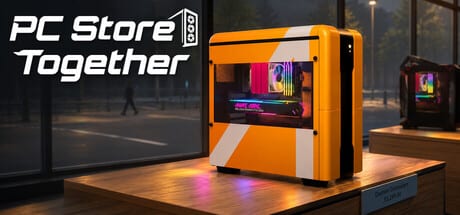
This Links Hub is the shortest path to trusted destinations for PC Store Together—the Steam page, the official Discord, and a map of how this fan wiki is organized so you stop bouncing between random tabs.
PC Store Together is a Steam Windows shop sim by Sykes Games and Nightmare Studios, released November 24, 2026 as app 4990940. It mixes solo play with 1–4 online co-op, a build/repair/sell/expand loop, and reputation-gated hardware tiers. Use the links below for primary sources; use the wiki map for structured strategy.
Official destinations
- Steam store page: PC Store Together (app 4990940) — wishlist leftovers, news hub, system requirements, reviews, and purchase (about $12.99 with launch intro pricing when available).
- Discord: https://discord.gg/PmEpG7cM58 — patch chatter, looking-for-group energy, and developer-adjacent community signal.
Always prefer Steam news + Discord for raw patch text. This wiki translates those notes into shop policy and unlock advice; it is not an official Sykes Games / Nightmare Studios product.
Wiki structure (start here)
Guides
- Guides Hub — tutorial-style articles
- Getting Started — first-hour loop, early objectives, how not to soft-fail the opening shift
Tier lists
- Tier List Hub — ranking philosophy for a shop sim
- Parts Tiers — unlock order, margins, shelf depth
- Starter Builds — budget vs performance recipes
Tools
- Tools Hub — operating policy binder
- Pricing & Inventory — benchmark-then-price, spares, queue vs build time
- Store Expansion — workbenches → testing → layout → decoration
Updates
- Updates Hub — how we track patches
- Launch Patch Notes — thank-you framing, day-one hotfixes, demo-to-release gap
Players
- Players Hub — minimum specs, co-op culture, Very Positive snapshot, audience fit
This page
- Links Hub — you are here
Suggested reading orders
Brand new buyer: Steam page → Players Hub (specs) → Getting Started → Starter Builds.
Demo veteran: Launch Patch Notes → Pricing & Inventory → Parts Tiers.
Co-op host: Discord LFG → Store Expansion → Pricing & Inventory → assign roles before unlocking neon.
Patch day: Steam news / Discord → Updates Hub → retune stickers and recipes.
How to use official vs wiki info
| Question | Go here |
|---|---|
| Buy / refund / depot / raw patch text | Steam app 4990940 |
| Community ping / voice / rapid hotfix rumor control | Discord invite above |
| What to unlock first tonight | Parts Tiers |
| What to charge after a test | Pricing & Inventory |
| Can my PC run it? | Players Hub + Steam requirements |
Fan wiki standards (so you trust the map)
- Facts like release date, co-op counts, and price context stay aligned across pages.
- Internal links use trailing slashes and stay inside real routes.
- We do not invent YouTube IDs or fake patch numbers.
- When Steam and Discord disagree with an older wiki sentence, primary sources win—and we update.
Bookmark trio
- Steam app page for ownership and news
- Discord for people
- This Links Hub for the strategy map
That trio covers ninety percent of “where do I click?” moments during a chaotic four-player renovation.
Closing
Whether you are pricing a mid gaming tower, arguing about couches versus workbenches, or checking whether a hotfix already landed, start with the official two links and then dive into the hub that matches your pain. The shop stays profitable when information stays organized—same as inventory.
See you on the floor.
Frequently Asked Questions
Quick answers to the most common questions.
Is this wiki official?
No. It is a fan-made guide site. For official news and purchases use the Steam page for app 4990940 and the Discord invite listed above.
Where is the official Discord?
https://discord.gg/PmEpG7cM58 — use it for community updates and grouping; confirm patches on Steam news too.
What should new players open first on this wiki?
Players Hub for specs, then Getting Started, then Starter Builds. Demo veterans should read Launch Patch Notes next.
How is the wiki organized?
Guides for how-to, Tier List for unlocks and recipes, Tools for pricing and expansion policy, Updates for patches, Players for audience and specs, Links for official URLs.