Guides
PC Store Together Guides Hub: first-day checklists, PC build order, repair workflows, co-op role splits, and shop controls (2026).
View all GuidesEarly Access · Fan Wiki
Build, repair, and co-op shop guides.
Unofficial fan wiki for PC Store Together builds, repairs, and co-op tips to diagnose PCs, price stock, and grow your shop every session.
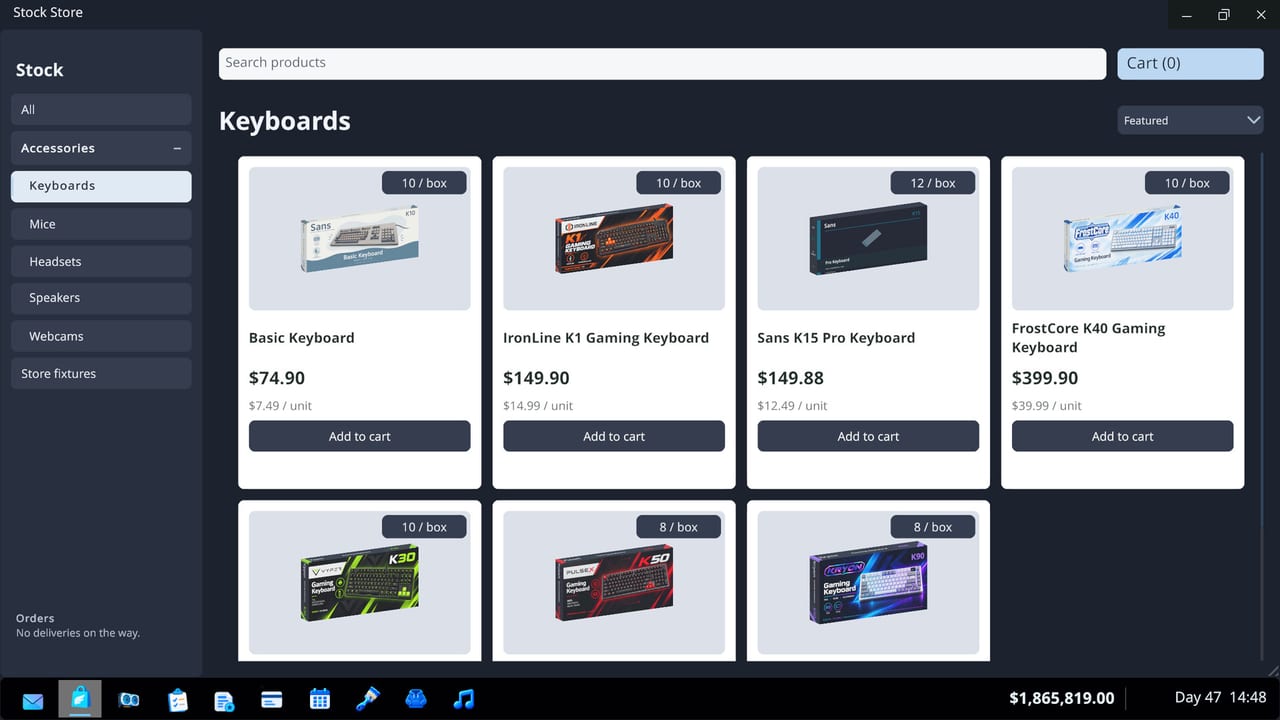

PC Store Together is a co-op PC shop simulation from Sykes Games and Nightmare Studios. You and up to three friends build custom PCs, diagnose broken machines, set prices, sell to customers, and expand the store floor on Steam for Windows. Start with the Getting Started guide to learn the core loop, then dig into the tier list for part priorities and the pricing & inventory tool for stock decisions. Co-op players should read co-op multiplayer before hosting a session, and check updates after every patch for balance and QoL changes.
PC Store Together Guides Hub: first-day checklists, PC build order, repair workflows, co-op role splits, and shop controls (2026).
View all GuidesPart and build tiers for PC Store Together: unlock order, margins, shelf priorities, and starter recipes after the Nov 2026 Steam launch.
View all Tier ListTools Hub for PC Store Together: pricing after benchmarks, inventory buffers, workbench priorities, and smart store expansion tips.
View all ToolsPlayers Hub for PC Store Together: Windows system requirements, 1-4 online co-op notes, Very Positive snapshot, and who should play.
View all PlayersUpdates Hub for PC Store Together: launch thank-you notes, day-one hotfixes, demo-to-release changes, and how we track Steam patches.
View all UpdatesOfficial Steam store page, Discord invite, and this PC Store Together wiki map covering guides, tiers, tools, updates, and players.
View all LinksFollow Getting Started to learn the workbench, customer queue, and day loop before you invite friends.
Use How to Build a PC for part order and assembly tips, then check the parts tier list for value picks.
When machines fail intake tests, How to Diagnose & Repair walks through common faults so you keep margins high.
Split roles with Co-op Multiplayer — one builds, one sells, one stocks — then plan growth with the store expansion tool.
Read launch patch notes after updates, and bookmark the wiki links hub for official Steam and community resources.
Quick answers to the most common questions.
Read the Getting Started guide, then practice builds with How to Build a PC and check the parts tier list.
Yes. The game supports 1–4 players online. See Co-op Multiplayer for hosting tips, role splits, and session etiquette.
Use the intake tools and follow How to Diagnose & Repair for common failure patterns, part swaps, and retest steps.
No. This is an unofficial fan-made resource for PC Store Together. Confirm announcements on the official Steam page and developer channels.
This wiki supports: English, Français, Deutsch, Español. Configure locales in site.meta.json and run npm run generate:i18n.
Check Updates and launch patch notes for balance changes, then browse the wiki links hub for Steam and community resources.
From first build to full store expansion, our guides cover diagnosis, pricing, co-op roles, and more. Start with the beginner guide or jump into the tier list.
Start with the beginner guide