PC Store Together How to Diagnose and Repair PCs
Triage symptoms, swap smart, verify under load, and invoice labor so repairs stay profitable.
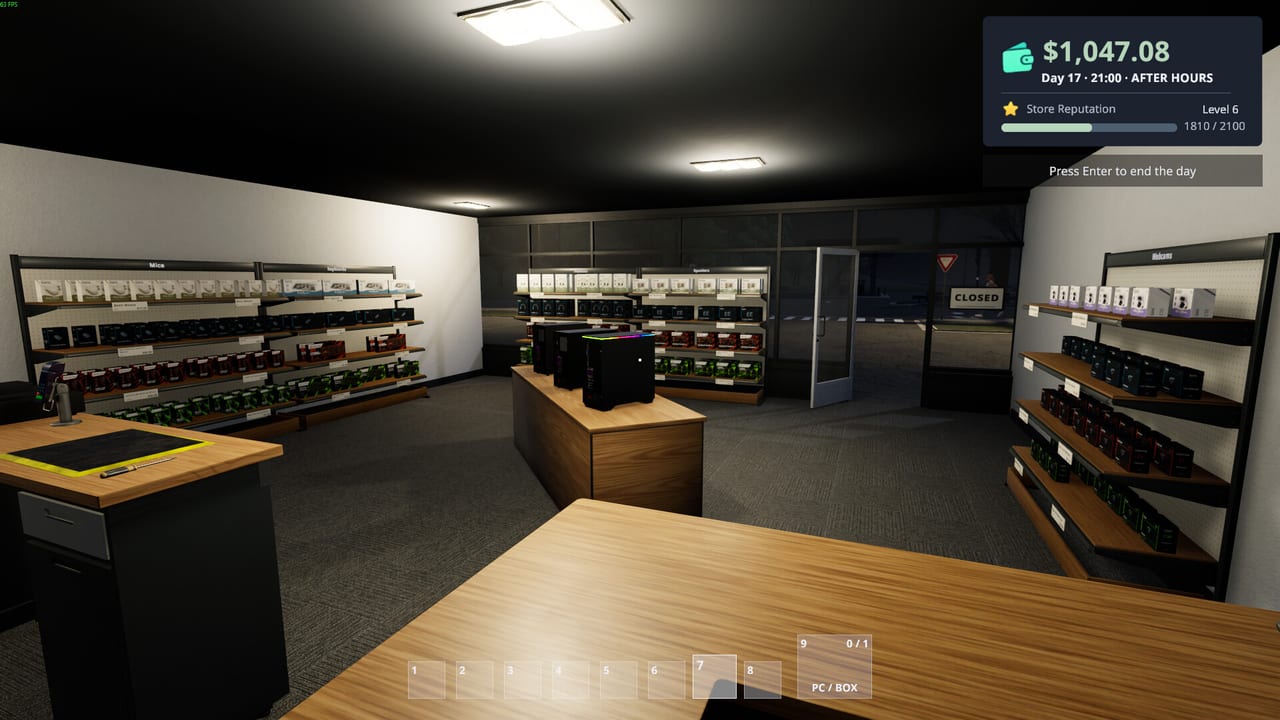
Not every customer in PC Store Together wants a brand-new tower. Many walk in with a bag of cables, a tower that smells like warm dust, or a laptop-stand story about “it just shut off.” Diagnosis and repair is where shops print steady margin if they work a clean workflow — and where shops bleed cash if they shotgun expensive parts without a plan. This guide covers triage, spare kits, verification, and billing for the co-op PC shop sim from Sykes Games and Nightmare Studios (Steam app 4990940, Windows release November 24, 2026).
If you are still learning the store layout, skim Getting Started first. If the machine is a empty case you are filling from scratch, use How to Build a PC instead of this page.
Diagnosis workflow (do not skip steps)
- Intake at the counter. Write down the customer’s symptoms in plain language: no power, power but no video, random shutdowns, loud coil whine, “slow,” or physical damage. Ask when it started and whether anyone already poked inside. Bad intake creates expensive wrong swaps.
- Visual and smell check. Look for scorched PSU vents, bulging capacitors (when the sim shows them), loose PCIe power, and dust blankets on heatsinks. Many “dead GPU” tickets are unseated power cables.
- Power path test. Confirm the outlet story, PSU switch, and whether fans twitch. No twitch usually means power delivery; twitch with no POST points at memory, CPU, or board.
- Minimal configuration. Strip to CPU, cooler, one RAM stick in the preferred slot, onboard video if available, and a known-good PSU. Add the GPU back only after minimal POST succeeds.
- Swap one variable at a time. Change RAM, then PSU, then storage, then GPU. Changing four parts at once teaches you nothing and burns inventory.
- Thermal and load verify. A cold POST is incomplete. Run whatever load or monitoring the game allows before you declare victory.
- Document and invoice. List parts used, labor time, and failed theories you already ruled out. Good notes help the next co-op shift.
Common fault families
No power / no fans. Suspect PSU, front-panel wiring, or a shorted board. Keep a tested spare PSU at the repair station — it is the highest leverage spare you can own.
Power, no display. Reseat RAM, try known-good memory, confirm GPU power, test onboard output, reseat the CPU if the cooler was recently removed. Socket mistakes from rushed builds show up here; revisit assembly discipline on the build guide.
Instant thermal shutdown. Cooler not mounted, pump unplugged, dried paste, or intake fans dead. Do not upsell a new CPU until the cooler path is proven.
Random in-game crashes after a “successful” repair. Undersized PSU under GPU load, marginal RAM, or dust-choked VRM airflow. Performance and wattage are simulated — treat peak draw seriously.
Customer says it is slow. Separate software-feeling tickets from hardware. Storage health, thermal throttling, and potato CPU plus flagship GPU mismatches all present as “slow.” Set expectations before you replace the most expensive part in the box.
Spare parts that actually earn their shelf space
Maintain a labeled drawer or shelf zone for:
- One mid-wattage known-good PSU with the connectors your common GPUs need
- A dual-stick RAM kit of the generation you sell most
- A basic air cooler with the socket brackets you support
- A small boot drive for machines that arrive without storage
- Extra thermal paste and a dust-blower ritual if the sim represents cleaning
Restock from the main shelves economy after each successful repair so the emergency kit never empties during a four-player rush. The runner role described in Co-op Multiplayer should treat the repair kit as sacred — do not raid it for a vanity custom build without replacing it the same hour.
Use the Tier List hub when deciding which spare SKUs deserve permanent residency versus opportunistic buys.
Billing labor without feeling awkward
Repairs fail economically when shops only charge for the screw they replaced. Price the investigation, not just the victim part.
- Flat diagnosis fee that applies even if the customer declines the fix
- Labor tiers for simple reseats versus full teardown and rebuild
- Parts at clear margin, not at your restock cost
- Rush fee when a Discord stack of friends all want same-day turns during peak concurrent hours
Launch week proved demand exists: 1000+ concurrent players, top 100 Steam bestsellers, same-day hotfixes, and Very Positive sentiment near 84% of about 78 reviews. Busy shops that underprice diagnosis train customers to treat your bench as a free clinic.
If a ticket requires a full re-assembly, charge build labor plus repair triage. Hybrid jobs are still two jobs.
When to refuse or renegotiate
Refuse (or rewrite the quote) when:
- The customer demands a flagship GPU on a PSU and board that cannot feed or host it
- Physical damage makes the chassis unsafe and they refuse a case transplant
- They want four speculative part swaps “just try it” without paying diagnosis
- Inventory cannot support the promise before restock — do not sell fiction
Renegotiate when a cheap theory fails and a deeper theory appears. Show the failed test. Players respect transparent benches; they hate surprise invoices.
Co-op repair etiquette
One technician owns the open chassis. A second player can fetch spares and update the counter on ETA. Do not have three people reseating the same DIMM. Voice-call the symptom list so the cashier does not promise a five-minute fix on a board-level fault. Controls for interacting with the repair station and shop computer are on the Controls page.
Solo repairers should batch: finish intake notes for two machines, then open the first chassis. Context switching mid-minimal-boot wastes the clarity you just earned.
Verification checklist before return
- POST stable
- Correct boot drive selected if applicable
- Temps acceptable under short load
- Panels closed, screws accounted for
- Old failed parts either returned to the customer or binned per your shop policy
- Invoice printed or read aloud with labor + parts
Then walk the machine to the counter yourself or hand it to the cashier with a one-line summary. Silent returns create “what did you even do?” conversations.
Practice loop
- Create or accept a no-display ticket; force yourself through minimal boot before touching the GPU.
- Create a thermal ticket; fix mounting before replacing silicon.
- Quote a diagnosis-only customer and practice the decline path.
- After each update, re-test your spare PSU ritual — patches can tweak interaction prompts.
Related guides
- Guides Hub — full how-to map
- How to Build a PC — assembly order when you rebuild from empty
- Getting Started — early money priorities that keep spare kits funded
- Co-op Multiplayer — who owns the repair bench in a four-stack
- Controls — bench and menu inputs
- Links Hub — Steam and Discord for community fault stories
Diagnose once, swap once, verify once, bill once. That rhythm is how repair tables fund the fancy showroom builds everyone wants to post on launch week.
Frequently Asked Questions
Quick answers to the most common questions.
What is the fastest way to diagnose a PC that will not turn on?
Confirm the power path first, then move to a minimal configuration with a known-good PSU and a single RAM stick. Avoid replacing the GPU until minimal POST succeeds.
Which spare parts should I keep at the repair station?
Prioritize a tested mid-wattage PSU, a common-generation RAM kit, a basic compatible cooler, a small boot drive, and thermal paste. Restock the kit after every job so rushes do not empty it.
How should I bill repair work in PC Store Together?
Charge a diagnosis fee plus labor tiers and parts margin. Do not invoice only the cheap screw you replaced after thirty minutes of triage — bill the investigation time.
When should I refuse a repair ticket?
Refuse or rewrite the quote when the requested parts are incompatible, the chassis is unsafe and they reject a case swap, or they want speculative shotgun swaps without paying for diagnosis.
Is repair different in co-op?
The technical steps are the same, but assign one owner for the open chassis while another player fetches spares and updates the counter. See the Co-op Multiplayer guide for role splits.