Getting Started in PC Store Together
Open the doors, keep cash flowing, and set roles before the first rush hits the counter.
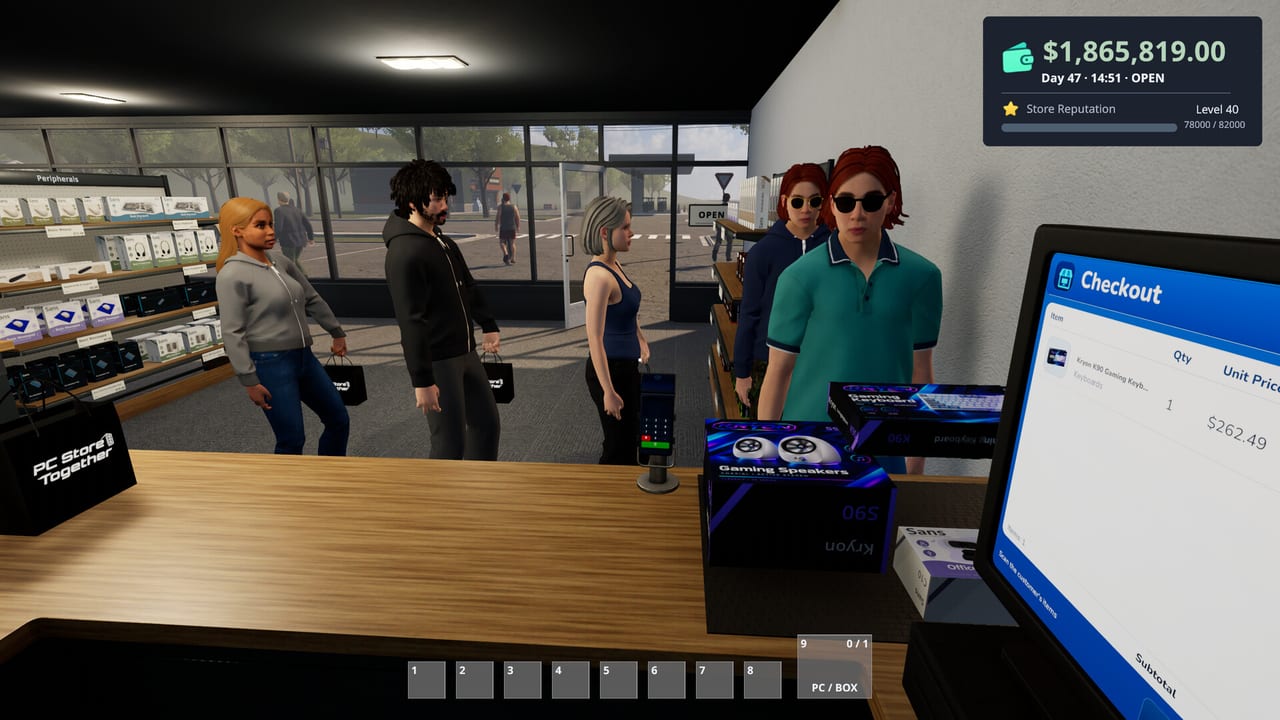
PC Store Together drops you into a working PC shop from minute one. Sykes Games and Nightmare Studios designed the Steam release (November 24, 2026, app 4990940) so one to four players can stock shelves, build towers, repair dead machines, and ring customers without a long gated tutorial wall. This getting-started guide is your first-day checklist: what to do before the queue grows, how to split jobs when friends join, and which money priorities keep the store solvent while you learn the build order.
If you prefer video context first, the mid-page demo first look shows the shop floor and early bench work. Then come back here and run the written checklist so nothing critical is skipped.
First-day checklist (solo or co-op)
- Confirm system readiness. The game is Windows-only. Official minimums sit around Windows 10 64-bit, an Intel i5-class 2.5 GHz CPU, 8 GB RAM, a GTX 1060 or RX 6600 XT class GPU, DirectX 11, and roughly 2 GB of free storage. Close heavy background apps before hosting a four-player lobby.
- Learn the three stations. Counter (orders and payments), shelves (stock and restock), and benches (build and repair). Every profitable hour rotates attention among those three. Details for input bindings live on the Controls page.
- Walk the floor once. Note where the shop computer, parts shelves, build bench, and repair station sit relative to the door. Muscle memory beats panic when three customers arrive together.
- Stage a starter kit. Pull a known-compatible CPU, cooler, motherboard, RAM kit, storage drive, GPU, and PSU onto a cart or nearby shelf before you accept a custom build. Compatibility is simulated — wrong socket or wattage means no boot.
- Set conservative prices. Launch pricing sits near $12.99 for the game itself with an intro discount around $11.04 (−15%), but in-shop part margins are your responsibility. Undercutting everything empties cash; overpricing empties the queue. Start near suggested values and nudge after you see demand.
- Complete one clean build end-to-end. Follow CPU → cooler → RAM → motherboard → GPU/storage → PSU → close panel → power on. Use How to Build a PC as the deep reference if anything fails POST.
- Complete one repair ticket. Practice the diagnose → swap → verify → invoice loop from How to Diagnose and Repair so labor income is not a mystery.
- Invite friends only after the solo loop works. Co-op shines when everyone already knows which station they own. Read Co-op Multiplayer before four people grab random parts off the same shelf.
Early money priorities
Cash is tighter on day one than pride allows. Prioritize revenue that recycles inventory quickly:
- Quick repairs over vanity flagships. A thermal paste job or PSU swap turns around faster than a boutique RGB tower that eats your entire GPU budget.
- Stock the failure points. Extra coolers, PSUs, and common RAM kits prevent a half-built machine from sitting dead while you wait on a restock.
- Do not empty the shelf for one whale order. Keep a working buffer of mid-range parts so walk-in customers still see something to buy.
- Charge for diagnosis time. If a customer’s machine is a mystery box, bill the triage even when the fix is a single stick of RAM. The repair guide covers fair billing language.
- Expand only after a float. Floor upgrades and extra bench capacity feel great, but a empty register during a Steam sale weekend (or your own Discord event) hurts more than a smaller shop that always has change.
Reputation compounds. Launch-week chatter put the title past 1000 concurrent players and into Steam’s top 100 bestsellers with same-day hotfixes and Very Positive reviews (about 84% of roughly 78 reviews). That traffic means new players will compare your shop’s turnaround time to streamers. Speed with correct builds beats flashy unfinished towers.
Splitting jobs when friends join
Two players: one owns counter + pricing, the other owns bench + parts pulls. Trade roles every few tickets so both learn the full loop.
Three players: add a dedicated runner/stocker who never leaves the shelves empty and who pre-stages kits for the next order on the board.
Four players: classic shape is counter, shelves, build bench, repair bench. The co-op guide explains host/join and physical handoffs so two people are not yanking the same GPU. Agree in Discord voice who may change prices — nothing kills a rush like two cashiers fighting over a discount.
Solo players should time-box: five minutes on counter backlog, ten on bench, two on restock. Ignoring shelves is the silent way solo shops die.
What to unlock or practice next
After the checklist:
- Drill the full assembly and failure modes in How to Build a PC.
- Add a spare-parts drawer workflow from How to Diagnose and Repair.
- When the crew is ready, host a lobby using Co-op Multiplayer.
- Skim Controls if shop-computer menus still slow you down.
- Watch Updates for launch hotfixes that change UI or economy values.
- Use the Tier List hub when deciding which SKUs deserve permanent shelf slots.
- Keep the Links Hub handy for Steam and Discord.
Common first-day mistakes
Powering on with the panel open or parts loose. The sim cares. Close it.
Buying the most expensive GPU first. Wattage and motherboard lanes may not support it yet; you strand cash.
Ignoring thermals. A boot is not a success if the customer returns with thermal throttling an hour later.
Hosting four players before anyone knows the build order. Chaos at the bench looks funny on stream and terrible on the review queue.
Forgetting single-player is valid. The design supports 1–4; solo is not a second-class mode — it just needs stricter personal sequencing.
Mindset for the first week
Treat the shop like a real micro-business. Every ticket teaches either a compatibility rule or a customer-service rule. Write a short personal note after each failure: wrong socket, undersized PSU, missed dust cleanup, bad price. Those notes become your private tier list long before you trust a public ranking.
When you are ready for depth, leave this page and live in the sibling guides linked above. Return here only when onboarding a new friend — send them this checklist, the controls page, and your Discord channel rules in one message. That is how co-op shops stay fun past the honeymoon session.
You now have a first-day path: checklist, money rules, role splits, and next links. Open the doors, keep a float, and build something that actually powers on.
Frequently Asked Questions
Quick answers to the most common questions.
What should I do first in PC Store Together?
Walk the three stations (counter, shelves, benches), stage a compatible starter kit, complete one clean build in the correct part order, then complete one repair ticket before inviting a full co-op lobby.
How do I make money early without going broke on parts?
Favor quick repairs and mid-range builds over vanity flagships, keep spare PSUs and coolers in stock, bill diagnosis time, and expand floor space only after you hold a cash float.
Can I play PC Store Together solo?
Yes. The game supports 1–4 players with full online co-op available from the start, but single-player is fully supported — you simply rotate counter, shelf, and bench duties yourself.
What is the correct PC build order?
Install CPU, then cooler, RAM, motherboard into the case workflow as guided in-game, add GPU and storage, fit the PSU, close the panel, and power on. Full troubleshooting lives in the How to Build a PC guide.
Where should my friends read before joining my lobby?
Send them this Getting Started checklist plus the Controls and Co-op Multiplayer guides so everyone knows stations, bindings, and who owns pricing before the rush.