PC Store Together Parts Tiers & Unlock Order
Stock the shelves that clear queues—without freezing your cash in dead inventory.
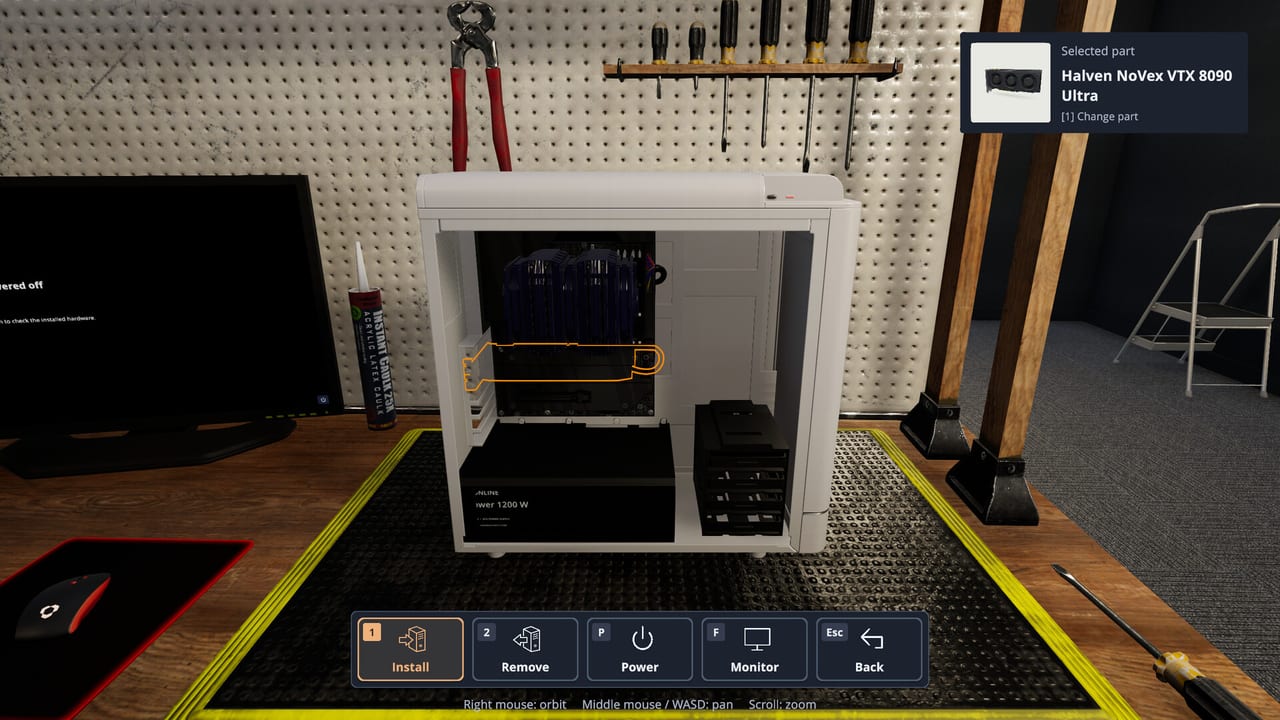
Parts in PC Store Together are not a collector’s museum. They are working capital. This page ranks component tiers by how fast they repay themselves after the November 24, 2026 Steam launch: what to unlock first, how to think about margins, and which shelves deserve depth versus a thin sample.
Pair this with Starter Builds for finished recipes, Pricing & Inventory for buffers, and Getting Started for the first-hour loop. Store growth priorities live on Store Expansion.
The reputation ladder (how tiers actually open)
Reputation unlocks hardware tiers. Treat each new tier as a gated aisle:
- Entry aisle — reliable CPUs, modest GPUs, basic motherboards, enough RAM and storage to finish office and light gaming jobs.
- Mid aisle — parts that clear “wants a gaming PC” tickets without requiring endgame cash.
- Enthusiast aisle — high-margin builds that need testing stations, smarter customers, and trade-in discipline so you do not overpay for shiny scrap.
Unlocking the enthusiast aisle early feels powerful and often tanks the shop. You need demand, bench time, and spare parts for failures. Full release made repairs more realistic and customers smarter, so incomplete or poorly tested machines hurt harder than in the demo.
S-tier early priorities
S-tier early means “buy depth here before vanity shelves.”
- Cooling and power that finish builds — unfinished PCs do not sell. Stock PSUs and coolers that match the CPUs you already advertise.
- RAM and storage kits you can slap in without hunting — these clear repair and upgrade tickets fast.
- One coherent CPU/mobo pairing — pick a lane and keep two to three boards and CPUs on hand instead of one of everything.
- Workable GPU mid-stack — enough to build the starter gaming recipes on Starter Builds, not a single ultra card that sits for an hour.
These priorities feed reputation. Reputation feeds better tiers. Skipping them for a showcase GPU is the most common early mistake.
A-tier once cash is stable
A-tier parts shine after you have a spare-parts bin and at least one testing habit:
- Better GPUs that lift average ticket size when the queue asks for gaming performance
- Case SKUs that customers notice (aesthetics matter once basics work)
- Higher-capacity SSDs for upgrade and trade-in flips
- Extra motherboard variants so co-op builders are not blocked on one socket
Buy A-tier when your pricing tools page buffers are healthy—typically when shelf stock covers the next few customers without a panic Steam restock mid-rush.
B-tier and situational buys
B-tier is situational:
- Ultra-premium GPUs before you have testing throughput
- Exotic coolers when a mid cooler already meets thermal needs
- Duplicate case colors that do not change performance or margin
- Parts that only serve a rare customer type you have not seen yet
Hold B-tier until a pattern appears in the queue or until a co-op partner owns that specialty. Trade-ins (new at full release versus demo) can dump odd parts into inventory—price them to move, do not treat every trade-in as a forever shelf item.
Margin thinking (not sticker thinking)
A high sticker part with long install time and high failure risk can lose to a cheaper part you can assemble twice in the same window. Ask:
- Profit per bench-minute after realistic assembly and test time
- Reputational upside if the customer plays a game on the finished PC and smiles
- Opportunity cost of cash locked on the shelf while the counter queue grows
- Spare coverage — one GPU with no spare cooler or PSU is a liability
Benchmark before aggressive pricing. Full release encourages testing; under-tested machines damage the reputation ladder that unlocks your next tier.
Shelf depth vs sample SKUs
Use a simple rule of thumb:
- Depth on S-tier consumables (RAM, storage, common coolers, matching PSUs)
- Sample on flashy cases and top GPUs until demand is proven
- Shared bins in co-op so the parts runner restocks what builders actually burn
If four players each sample a different enthusiast GPU, the shop looks rich and goes broke. Agree on a shopping list tied to the builds you advertise.
Repair parts deserve their own mini-tier
Realistic repairs mean you will replace failed components, not only assemble new towers. Keep a repair reserve: common fans, a spare PSU tier that fits your mid builds, extra RAM sticks, and storage you can swap under time pressure. Repair margins can beat new-build margins when the queue is repair-heavy—stock for that reality.
Co-op stocking protocol
On 1–4 player lobbies:
- Assign one player as inventory lead for the session.
- Unlock a second workbench before unlocking a third exotic aisle (Store Expansion).
- Call out low stock before the counter peaks.
- Never “borrow” the last critical spare without replacing it.
Solo players should still keep a written restock checklist; panic buying mid-rush is how margins die.
What to unlock first (practical order)
- Finish the tutorial and stabilize basic sales (Getting Started).
- Deepen entry aisle parts that complete your first two starter recipes.
- Add testing capacity so smarter customers and playable on-PC games work in your favor.
- Unlock mid gaming parts tied to recipes on Starter Builds.
- Expand floor space and benches before enthusiast vanity stock.
- Only then widen into high tiers that need trade-in fluency and premium pricing discipline.
Cross-links when the meta shifts
Patches and hotfixes can tweak stock, customers, or economy feel. After launch-day community hotfixes and future notes on the Updates Hub, revisit which aisle is S-tier. Specs and audience fit stay on the Players Hub; official channels are on Official Links.
Stock with intent. Unlock with demand. Let reputation—not the shiniest box art—pick your next shelf.
Frequently Asked Questions
Quick answers to the most common questions.
What should I unlock first in PC Store Together?
Deepen entry parts that finish real builds—PSUs, coolers, RAM, storage, and one coherent CPU/mobo lane—before chasing enthusiast GPUs.
How do I think about part margins?
Optimize profit per bench-minute and reputation gain, not sticker price. Include test time, failure risk, and cash locked on the shelf.
Should co-op teams buy different top GPUs?
No. Pick shared recipes, stock depth on common parts, and unlock extra benches before exotic aisles.
Do trade-ins change stocking?
Yes. Price odd trade-in parts to move quickly. Do not treat every inbound part as permanent shelf depth.
Where do finished build recipes live?
See Starter Builds on this Tier List Hub, then tune sell prices with the Pricing & Inventory tools page.